User guide
Using OrderVet
OrderVet turns a risky order into a clear decision. Screen the order, read the recommendation and the evidence behind it, then record your call — and keep a dispute-ready record for later.
On this page
Screen an order
There are two ways to screen:
- Pull it from your store. Type an order number into Store order # and click Load. OrderVet fills in the buyer, addresses, items, value, and customer IP automatically.
- Or paste it in. Type the buyer, addresses, order value, and any payment details you have. Anything you leave blank is simply not scored — OrderVet never invents evidence from a missing field.
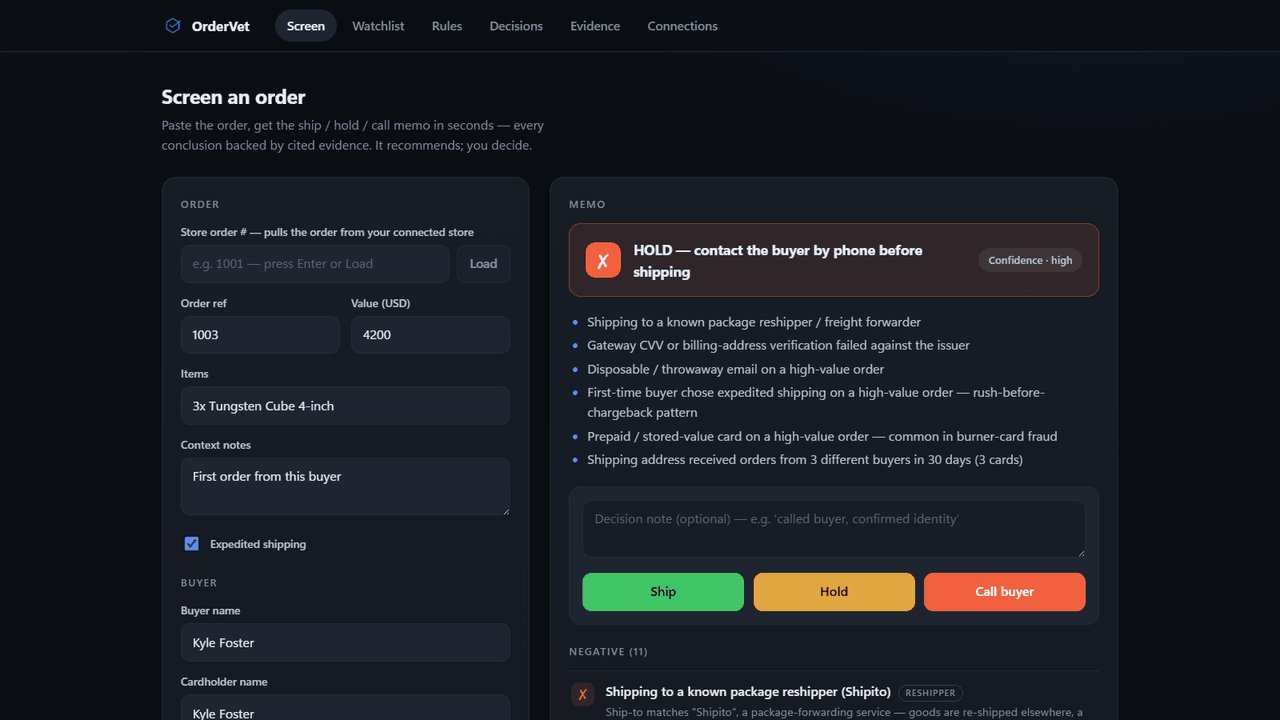
- Click Screen. In a few seconds you get a recommendation and the reasons behind it.
Read the verdict & evidence
Every screen returns one of three recommendations, plus a confidence level:
- Ship — nothing of concern; fulfill as normal.
- Review — mixed signals; take a closer look before shipping.
- Hold & call — strong fraud indicators; verify with the buyer before you ship.
Below the verdict, OrderVet lists the negative and positive signals it found — address and reshipper checks, gateway AVS/CVV, email checks, card BIN intelligence, phone line type, property ownership, and cross-order patterns across your recent orders. Each one is a plain-English statement of what was found, so you can see exactly why the order landed where it did. Expand the Provider audit to see every check that ran. Remember: OrderVet recommends; you decide.
Basic vs. Full screen (credits)
Screen runs the free checks: address, reshipper, gateway AVS/CVV, email, and cross-order patterns. Full screen adds premium data — address verification, phone line type, property ownership, and BIN intelligence — for 1 credit.
Buy credits in one-time packs from the header: 10 premium screens for $25, or 50 premium screens for $99. Your balance shows next to the buy button, and there's no subscription — you buy only what you use.
Record a decision
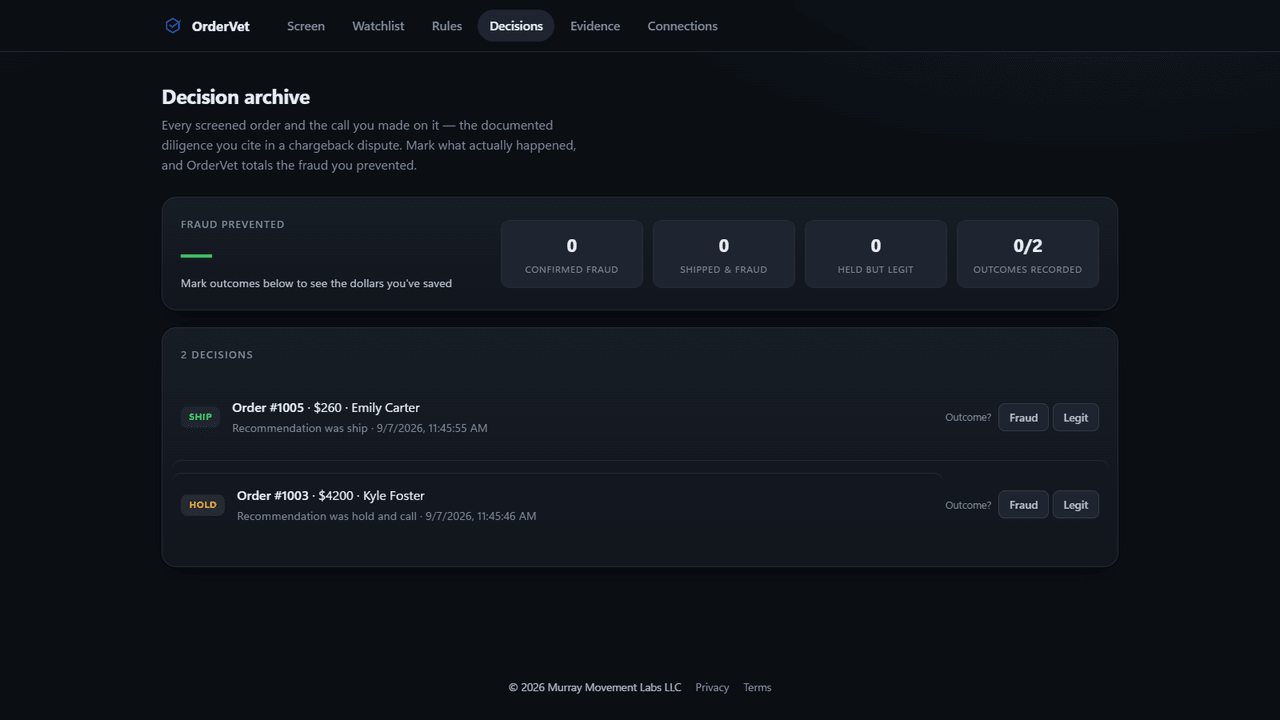
After a screen, record your call — Ship, Hold, or Call buyer — with an optional note. OrderVet archives the recommendation, the full evidence, and your decision (including when your call differs from the tool's) into a dispute-ready record you can open anytime under Decisions and print to PDF for chargeback representment.
If you Hold or Call on an order shipping to a suspicious address, OrderVet offers a one-click add to watchlist so that address is caught automatically on your next order.
Watchlist
The Watchlist tab manages your known reship / short-term-rental addresses. Add an address after an investigation, remove one that's cleared, and it takes effect on your very next screen — no rebuild, no waiting.
Rules
The Rules tab lets you tune OrderVet to your store — for example, the order value at which you want a closer look. Your rules are applied on top of the standard checks so the recommendations match how you actually run fulfillment.
Evidence archive
The Evidence tab is the running audit trail of what OrderVet checked and found. Together with the Decisions archive it gives you a complete, defensible paper trail for any order you screened — useful for chargeback disputes and for reviewing patterns over time.
Haven't installed yet? See the Installation guide. Questions? Email support@murraymovementlabs.com.